Block or report a difficult client
Open the client, click ⋯ → Block client, write what happened and click Block client. Tick the report box if the platform admins should look at it too.
Blocking stops a client from booking you again through your booking page. The app recognises them by their email address. Their past jobs and invoices stay as they are, and you can unblock them at any time.
Block a client
- 1Click Clients in the left sidebar and open the client.
- 2Click ⋯ (More actions) at the top right and choose Block client.
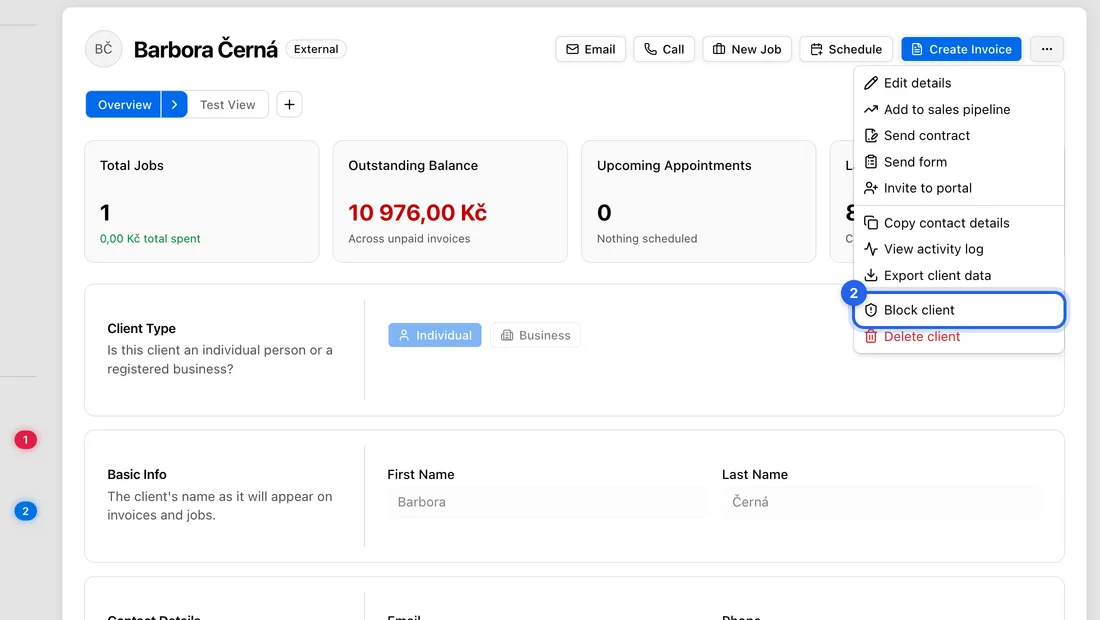
- 3Under Reason (required), write briefly what happened, in at least 10 characters.
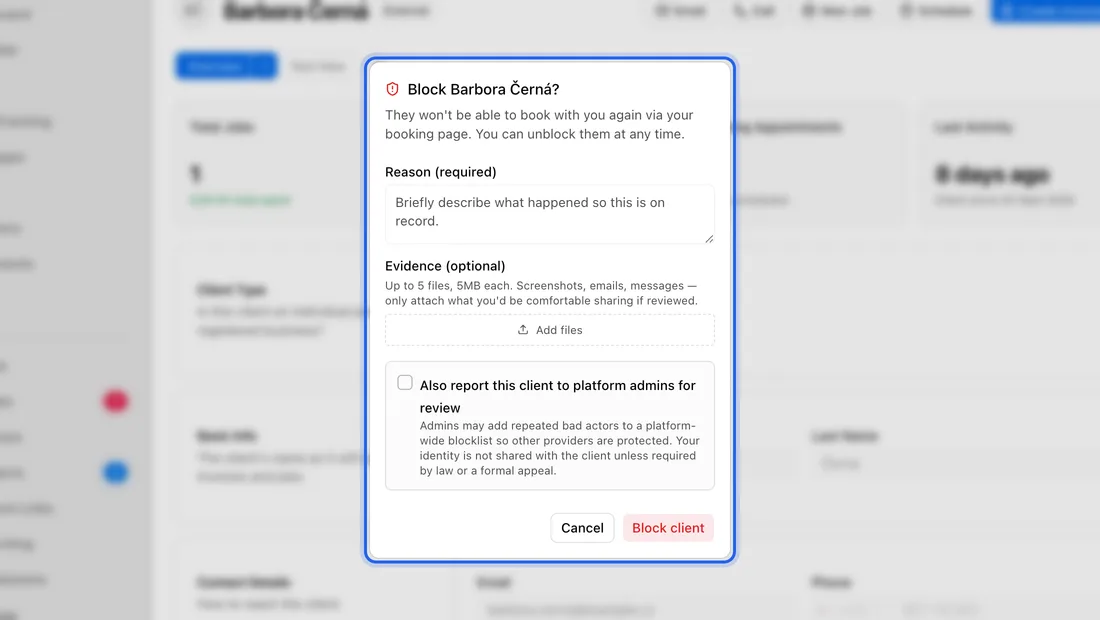
- 4Optional: under Evidence (optional), click Add files to attach screenshots, emails or messages. Up to 5 files, images or PDF, 5 MB each.
- 5Click Block client. You'll see “Client blocked”.
Report them to the platform
- 1In the same window, tick Also report this client to platform admins for review.
- 2Tick I confirm this report is truthful and based on my own experience with this client.
- 3Click Block & report. You'll see “Client blocked and reported to platform admins”.
Report only real misconduct. Admins can put repeat offenders on a blocklist that stops them booking with any business on JobMistr. Your identity isn't shared with the client unless the law or a formal appeal requires it.
Turning down a booking request
You can also block someone when you decline their booking request. In the calendar, open the request, click Decline, and untick Allow this client to pick another time. You can then report them in the same window.
What happens next
If they try to book again with the same email, your booking page tells them “Booking is not available — please contact the provider directly.”
To lift the block, open the client and click ⋯ → Unblock client. You'll see “Client unblocked”.
If something doesn't work
“Please provide a reason (at least 10 characters)”: write a little more under Reason.
“Please confirm the attestation to report this client”: tick the confirmation box, or untick the report box to block only.
“… exceeds 5MB”: make the file smaller or take a screenshot instead.
Nothing opens when you click Block client: this works for clients you added yourself. For a client who joined with their own JobMistr account, the window doesn't open yet. Contact support through Report a problem in the account menu.