Mark an invoice paid
When a client pays outside the app, open the invoice and click Mark as Paid, or drag its card to the Paid column. Card and matched bank payments mark themselves.
Some payments mark the invoice paid on their own: a card payment through a connected gateway, and a bank transfer matched by your bank feed. For everything else, like cash or a transfer to a bank you haven't connected, you mark it yourself.
From the invoice
- 1Click Invoices in the left sidebar and open the invoice.
- 2Click Mark as Paid at the top of the page.
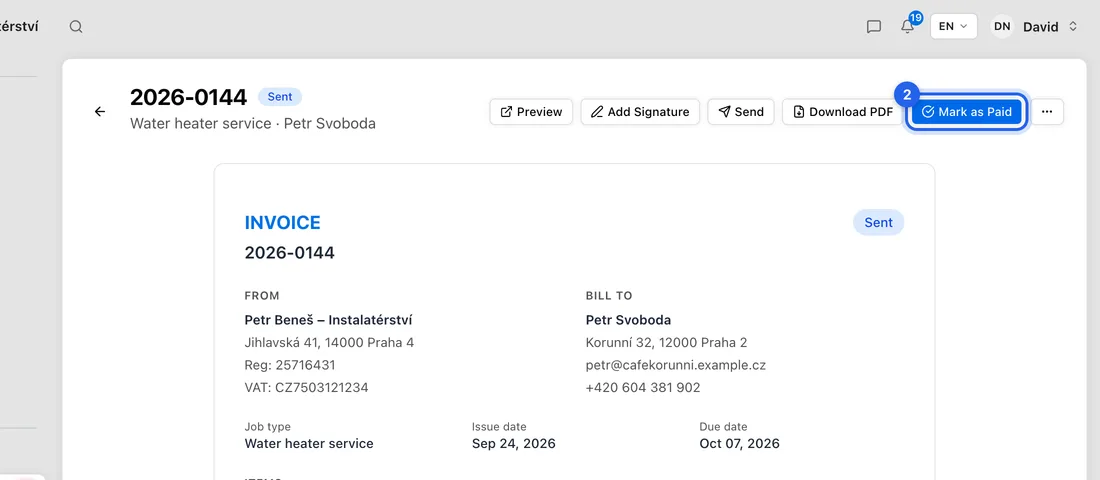
- 3You'll see “Invoice marked as paid” and the status changes to Paid.
Have a bank feed connected? Then Mark as Paid isn't on the page, because payments are meant to match on their own. Click the ⋯ button at the top instead and choose Record payment manually.
From the invoices board
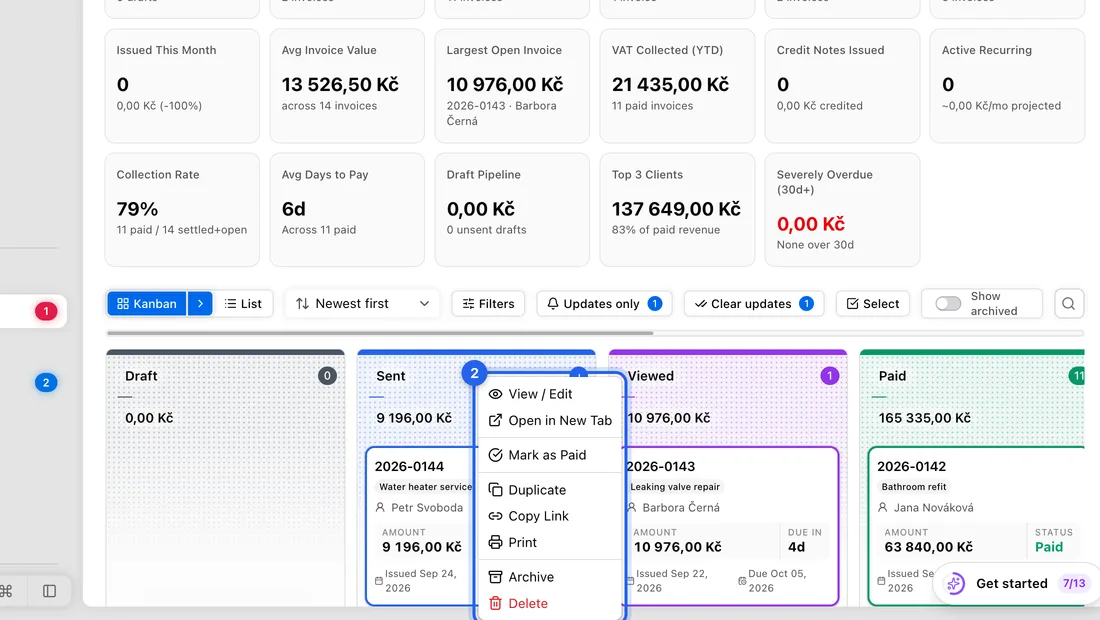
- 1On Invoices, in the board view, drag the invoice's card into the Paid column.
- 2Or right-click the card and choose Mark as Paid.
When your client says they've paid
On the page they open from your email, your client can click I've Made Payment. You then see Payment Claimed on the invoice, with who reported it and when. Check the money has actually arrived, then click Confirm Payment. Nothing is marked paid until you do.
What happens next
Marking an invoice paid records a payment of the whole amount still owed, dated today. For example, on a 12 100 Kč invoice where nothing has been paid yet, a 12 100 Kč payment is recorded. Overdue reminders to the client stop.
Marked it by mistake? Open the invoice, click the ⋯ button and choose Mark as Unpaid.
If something doesn't work
There's no Mark as Paid anywhere: the invoice is cancelled or written off, and those can't be marked paid.
The client paid only part of it: Mark as Paid always records the full amount still owed, and there's no way to type in a smaller amount by hand yet. A part-payment that comes in through a connected bank feed is recorded at its real amount, and the invoice shows the status Partially paid.
The card springs back to its old column with an error: the change was refused, for example because the invoice sits in a VAT period you've already filed. The message says why.