Right-click menus and selecting several items
Right-click a card or row for its quick actions, or select several and act on them all at once.
Most cards and rows have a menu of quick actions, so you can mark an invoice as paid or duplicate a job without opening it. You can also select several items and change them together.
Open the menu
- 1Right-click a card on a board (Jobs, Invoices, Quotes, Contracts, Pipeline) or a row in a list (for example Clients).
- 2Or hover over a card and click the ⋯ button in its corner. It opens the same kind of menu.
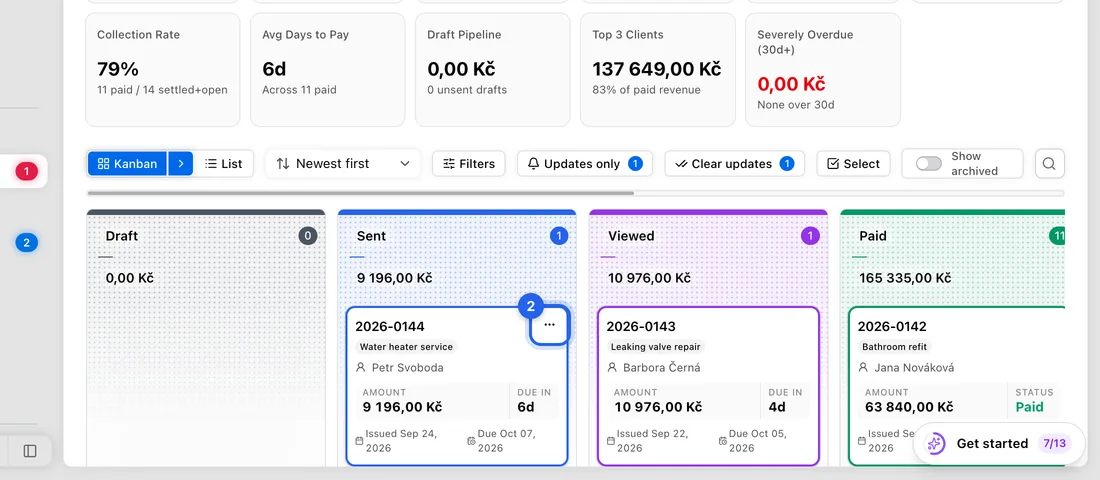
- 3Click an action. Options that don't fit the item's status are left out: for example, Mark as Paid doesn't appear on an invoice that's already paid.
Right-click menus also work on documents, forms, payment links, calendar entries and inbox messages. Tasks don't have one.
What's in the menu on the main screens
Jobs: Edit, View Details, Create Invoice, Mark as Completed (no invoice yet), Mark as Completed & Paid (cash), Move to, Duplicate, Add Note, Add Reminder, Copy Link, Archive and Delete.
Invoices: View / Edit, Open in New Tab, Mark as Paid, Mark as Sent (drafts only), Duplicate, Copy Link, Print, Archive and Delete.
Quotes: View / Edit, Open in New Tab, Mark as Accepted, Mark as Declined, Copy Link, Archive and Delete. Contracts work the same way, with Mark as Sent and Mark as Declined.
Pipeline: move the deal to another stage, mark it won or lost, email or call the client, log a call, add a note, task or follow-up, and create a job, quote, invoice, appointment, contract, form or document from it.
Clients: View Details, Open in New Tab, Create Invoice, Create Job and Copy Link. Edit and Delete appear for clients you added yourself.
Select several items
- 1Click Select at the top of the page. Or hold Shift and click a card to start selecting with that one.
- 2Click each item you want. Shift-click selects everything between the last item and this one. Select all picks every item on the page.
- 3Use the bar that appears to act on all of them. On Invoices: Status (mark them all as one status), Print, PDF, Duplicate, Archive, and the red bin, which cancels them. On Jobs: Move to, Duplicate, Archive and Delete.
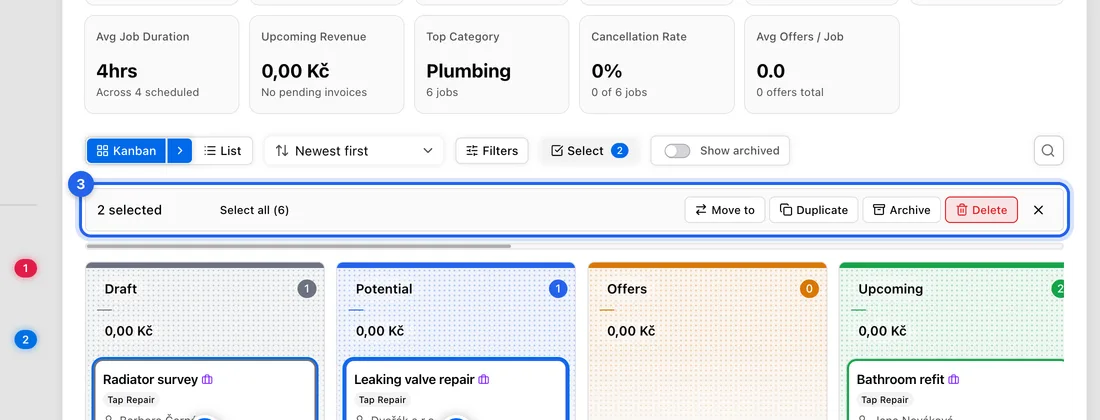
- 4When you're done, click the × on the bar or press Esc.
On the Pipeline, selecting switches the board to the list view, where you can move or remove several deals at once.
On a phone or tablet
There's no right-click on a touch screen. On the Jobs, Invoices, Quotes and Contracts boards and in lists, press and hold an item for half a second to start selecting; then tap the others you want. On Clients, Pipeline, Documents and the calendar, press and hold to open the menu instead.
The ⋯ button only appears when you hover with a mouse, so on a phone use press and hold, or open the item and use the buttons on its page.