Where to find each VAT setting
Your VAT status, your rates, your filing period and your VAT returns live in different places. Here's which is where.
VAT touches several parts of the app, so its settings are spread over a few pages. Use this as a map: what you want to change, and where to go.
Am I a VAT payer? (status, DIČ, registration date)
- 1Open Settings from the left sidebar and choose Business.
- 2Under Your VAT status, click Not VAT registered or VAT registered.
- 3For payers, check DIČ (VAT Number) and fill in VAT registered since with the date on the tax office's decision.
- 4Further down, under Electronic filing details, pick your Tax office and Type of taxpayer. VAT filings can't be prepared without them.
- 5Click Save changes.
On every plan. Team members need the Bookkeeping permission to switch VAT on or off or change the registration date. See “Set your VAT status” for the full walk-through.
The rates on your invoice lines
Settings → Tax & VAT. Under Tax Rates you add, edit and delete rates and mark one as the default for new invoices. Under Display & Rounding you choose whether prices are shown with or without VAT and whether VAT is rounded per line or on the total. Changing rates needs the Bookkeeping permission.
Monthly or quarterly
There are two separate settings, and they should match:
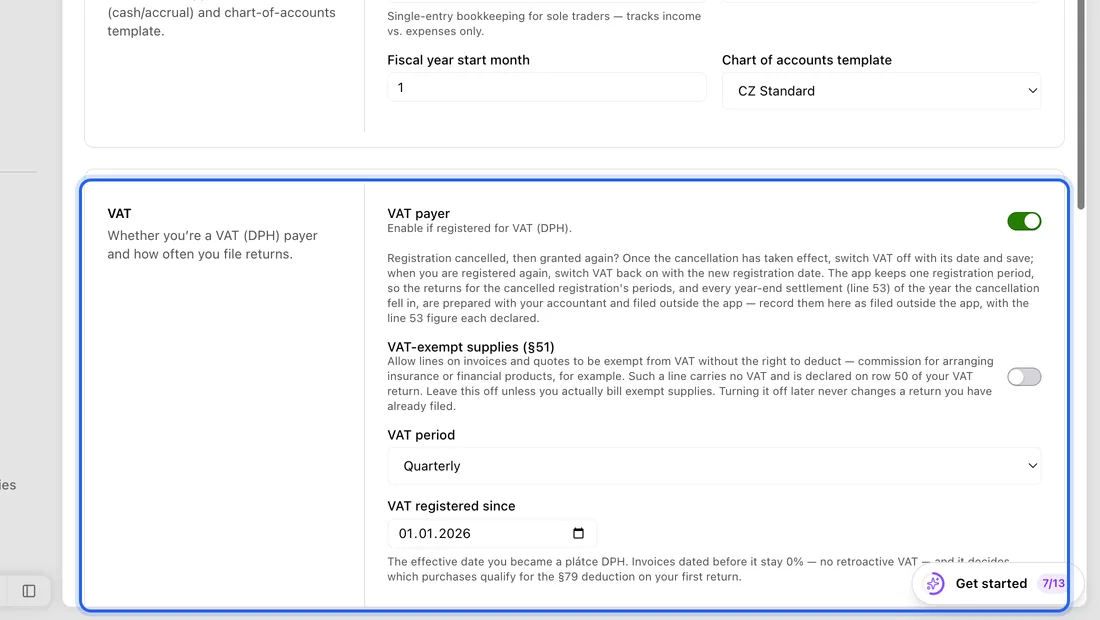
Settings → Accounting → Regime & method, under VAT: VAT period (Monthly or Quarterly). This decides which months each VAT return covers. It appears on Solo Pro and up.
Settings → Tax & VAT, under VAT Filing Reminders: Frequency. This only decides when we email you a reminder, 5 days before each deadline, with an estimate of the VAT.
Partial deduction (koeficient)
If you also make VAT-exempt supplies and can claim only part of your input VAT, set the coefficient under Settings → Accounting → VAT Coefficient. If you don't make exempt supplies, you can ignore it.
Your VAT return and statements
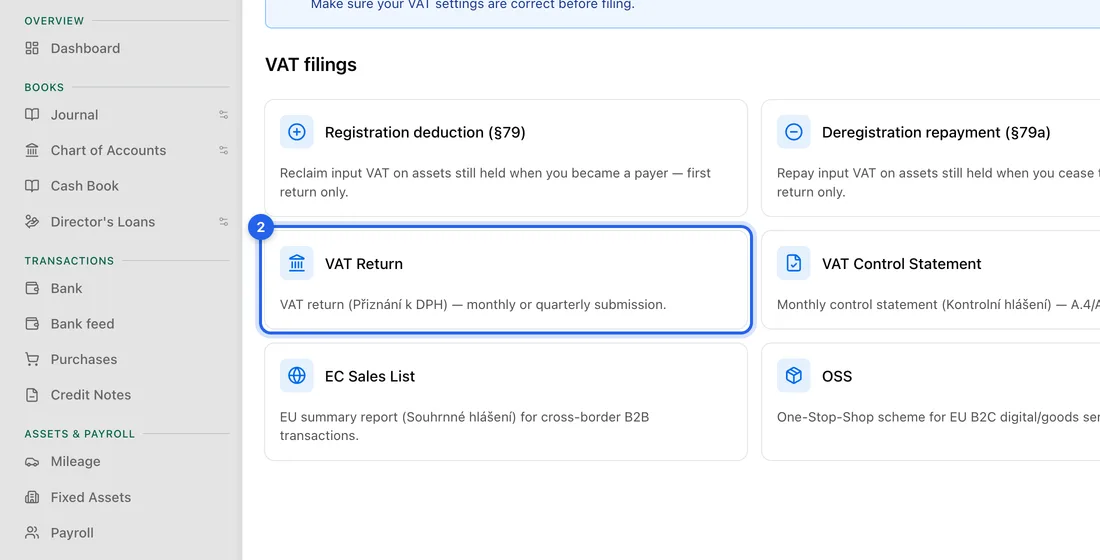
- 1Click Accounting in the left sidebar. The Filings group lists VAT Overview, VAT Return, VAT Control Statement, EC Sales List, OSS and Filings History.
- 2Open the one you need, pick the period and click Generate XML.
- 3Download the XML and upload it yourself on the tax portal MOJE daně. The app doesn't send VAT filings for you, not even through your data box.
- 4Then open Filings History and click the tick icon (Mark as filed) on that period's row, so the app knows the period has been filed.
VAT returns and statements are on Solo Pro and up. The §79 and §79a worksheets (VAT on things you held when you registered or deregistered) are on VAT Overview.
If something doesn't work
No VAT section on Regime & method, or no Filings group in the accounting menu: you're on Solo or Free. VAT returns need Solo Pro or higher. Your VAT status in Settings → Business still works on every plan.
The VAT status buttons or the rate controls are greyed out: you're a team member without the Bookkeeping permission. Ask the owner.